
Search USAJOBS by keyword or location, then narrow your results by hiring path, agency, work schedule, or occupational series. You can browse without signing in. Create a Login.gov account and a USAJOBS profile to apply, save jobs, or set up alerts.
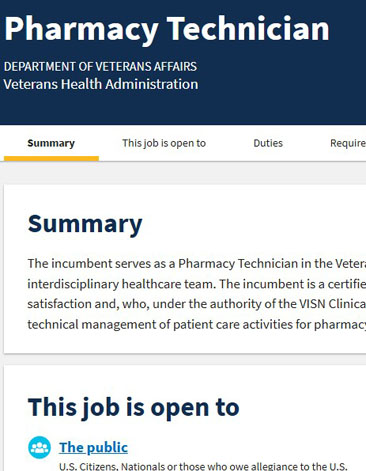
Read This job is open to and any agency clarification to see whether you qualify under a hiring path. Then check Requirements for the specialized experience, education, and conditions of employment. Read How you will be evaluated for assessments, and check Required documents and How to apply for the deadline and submission instructions. Contact the agency listed in the announcement if you need clarification.
Tailor your résumé to the announcement and keep it to two pages for USAJOBS. List relevant work with dates and actual hours per week, and show how it meets the qualifications. Gather the documents the announcement requests, such as transcripts, an SF-50, veterans’ preference documentation, or a license. If the agency requests a CV, use the upload instructions in the announcement.
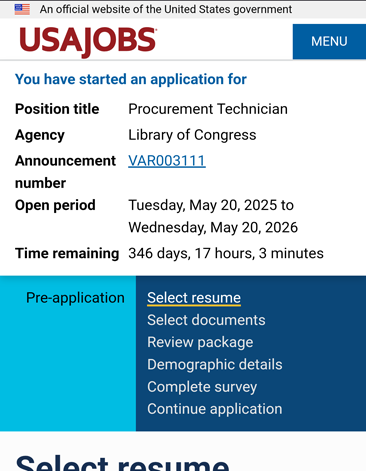
Click Apply, select your résumé and documents, and review the package. Follow the USAJOBS steps to continue to the agency site. Complete any remaining agency questions or assessments and submit by the stated deadline. Look for a confirmation, then go to My jobs → Applications and select Track this application for agency updates.
Read a federal job application announcement in this order
- Who can apply. A job title can match your experience while the opening is limited to a specific hiring path. Read the agency’s clarification when one is provided.
- Qualifications by grade. Look for education, licenses, and specialized experience. If the posting lists more than one grade, check the requirements at each grade you plan to select.
- Deadline and documents. Note the closing time and time zone. Check if the job can close when it reaches an applicant limit, and allow time to gather records.
Check your federal job application before sending it
Make sure your résumé matches the announcement, any supporting records open correctly, and your answers are consistent with your experience. Follow each assessment’s deadline and check your email for instructions from the hiring agency.
If you have questions about eligibility, the duties, or a submitted application, use the agency contact in the job announcement. See the federal application checklist for a list you can use as you work.
Already submitted? Learn what happens after you apply.
After you submit your federal job application
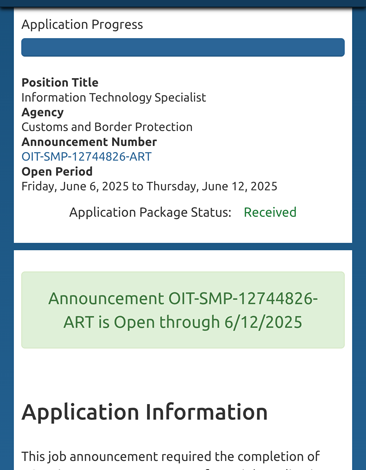
Save a copy of the announcement and the submission confirmation. Keep the job announcement number handy when you email the agency, especially if it advertised similar openings. If you get an invitation to complete an assessment, follow the deadline in that notice.
USAJOBS may show the status of the opening, while the hiring agency shows the status of your own application. In My jobs, choose Track this application to see the agency’s updates. If the link is missing, contact the agency listed on the announcement.
If you need to correct a submitted federal job application, look for Edit my application while the announcement is open. Follow the steps through the agency system and confirm the revised submission. See the USAJOBS application editing guide.